Sharing and cloud
Everything essential works with no account and no internet. When you want more — control from anywhere, permanent history, Telegram alerts, Alexa voice control, family access — here's how to turn it on.
Your account
You create the account from the avatar on the main screen (or during pairing). It only asks for a name, email and password.
When you create it you get an email with a link to confirm the address is yours (it expires in 24 hours; check spam too). Until you open it you can use the pump on your network as usual, but you can't link it to the cloud, share it or accept invitations. Typed the email wrong? InAccount tap Change email.
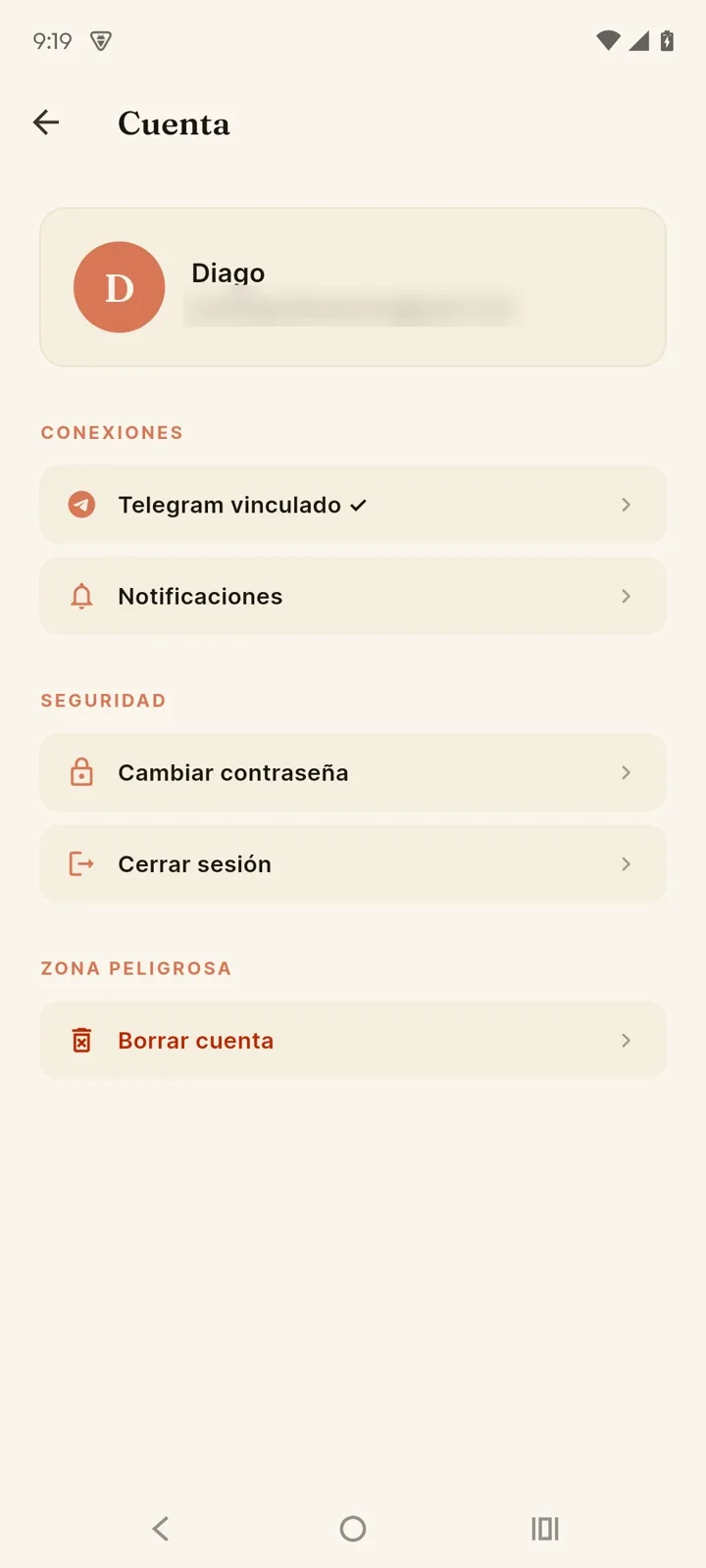
From Account you can:
- Link Telegram and configure notifications.
- Change the app's language (Preferences section).
- Change your email (a link is sent to confirm it) or your password (or recover it by email if you forgot it).
- Sign out, or permanently delete the account (danger zone).
How to delete your Tinajon Pro account
You can delete your Tinajon Pro account and all its associated data at any time, right from the app:
- Open the app and go to Account: the circle with your initial, at the top right of "My pumps".
- Scroll down to the Danger zone section and tap Delete account.
- Enter your password and the word DELETE to confirm. Deletion is immediate and can't be undone.
Deleting your account permanently and immediately removes:
- Your email, password and profile data.
- Every device linked to your account in the cloud (name, location if you turned it on, settings).
- The full history of those devices: events, sensor readings and command log.
- Your Telegram link and your push notification tokens.
They're deleted from our database right away. For a few days they may remain in the automatic backups, which delete themselves after a week; they're not used for anything else. If you only want to stop using the cloud without deleting your account, you canunlink a deviceor simply stop using it; your account stays intact until you decide to delete it. Your pumps keep working on your WiFi either way.
Link your pump to the cloud
With an account and the device on your home WiFi, go toSettings → Sharing and cloud → Link device to the cloud. From then on:
- Control the pump from anywhere with internet.
- The full history is stored permanently.
- You can get Telegram and push alerts.
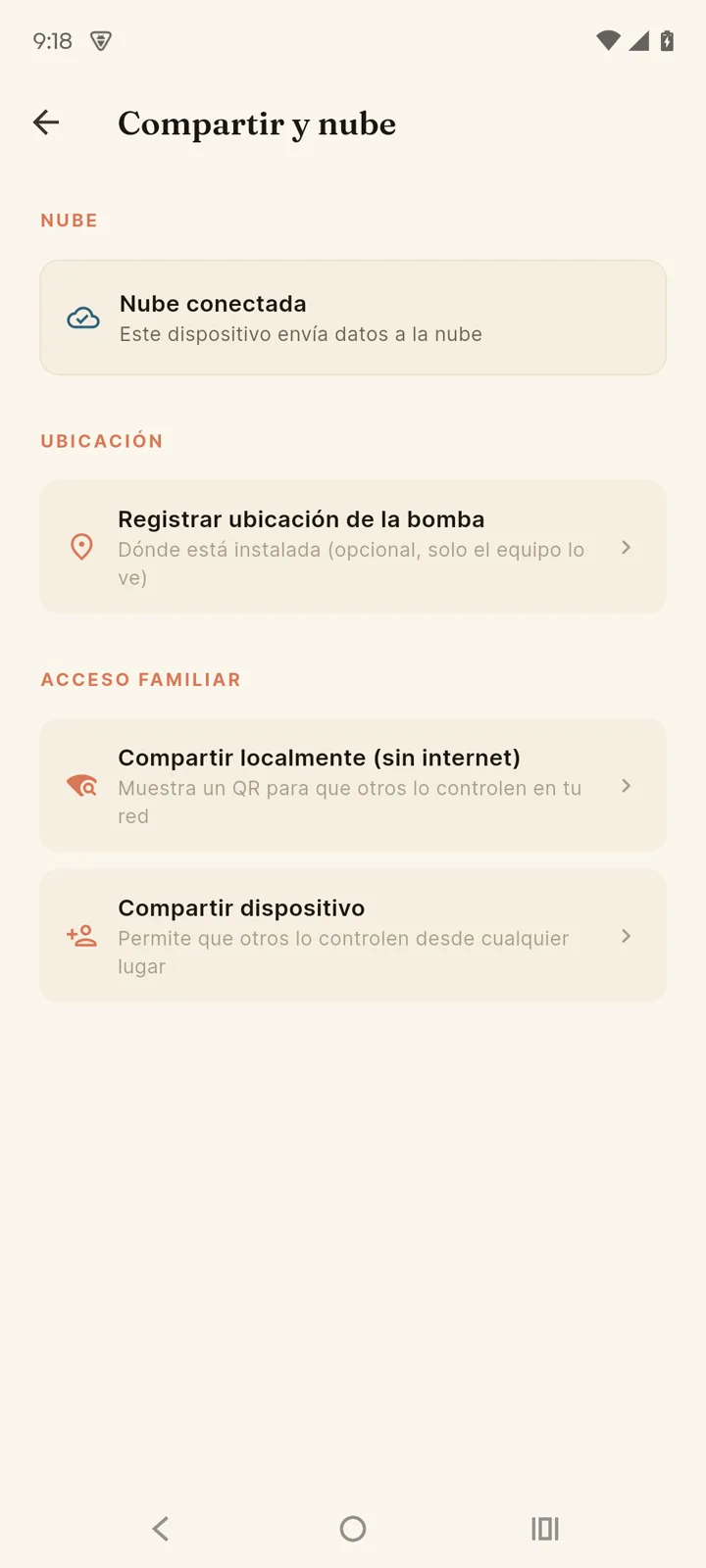
The cloud is reversible. To leave it, tap the pump's trash icon in "My pumps": it's unlinked from your account and the device keeps working 100% locally. Note: its cloud history and the access of the people you shared it with are deleted. To keep controlling it without the cloud, add it again with "Add another pump" → "Already configured pump" → "Search on my WiFi network" while on the same WiFi.
Recovering a device
Bought a used pump, or is it linked to an account you no longer have access to? Trying to pair it will show a notice like this:
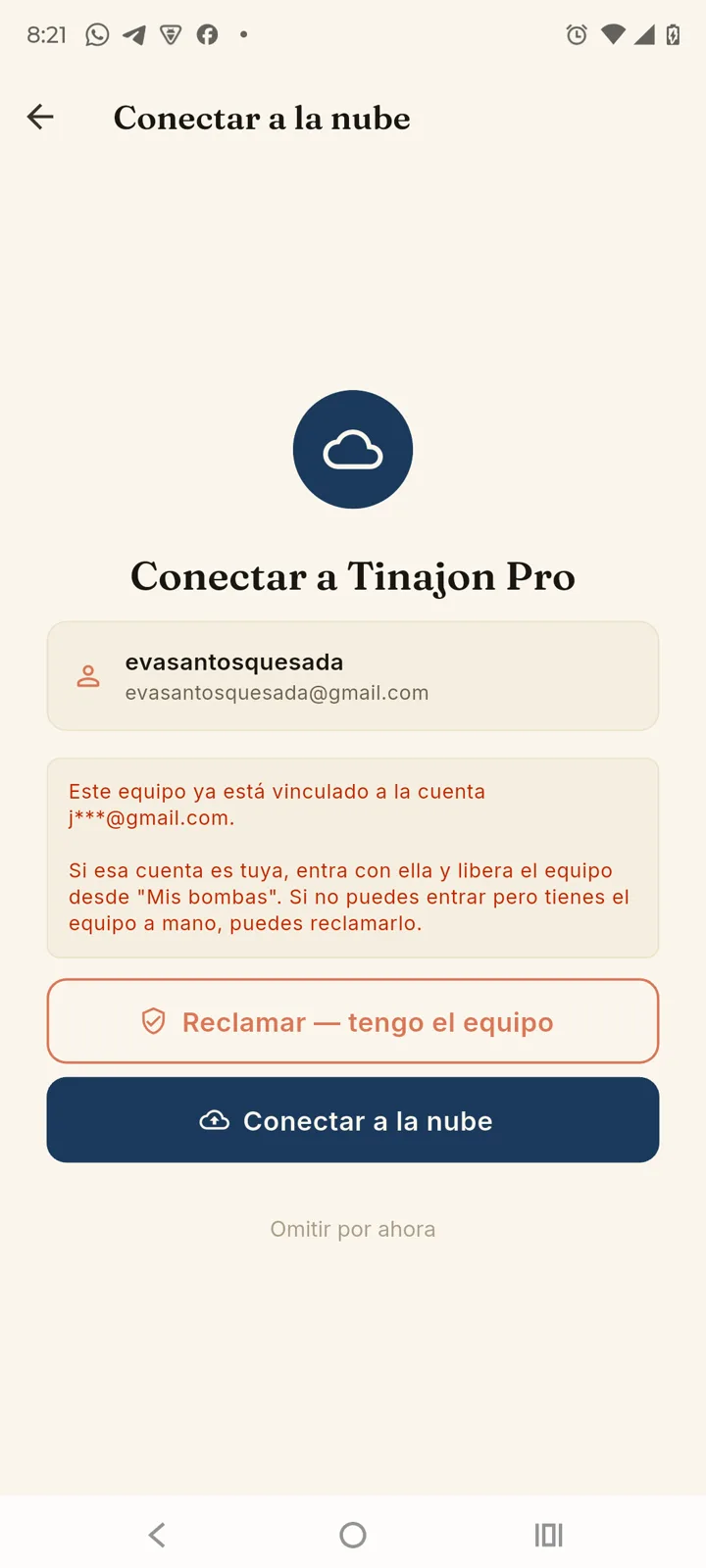
If that account is yours, the simplest path is signing in with it and unlinking the device from "My pumps". If you can't sign in but you physically have the device with you, you can claim it by tapping "Claim it — I have the device".
A Factory Reset alone does not release the link — that mark lives on the server, not on the device. But it is the first step of a claim: factory-reset it (MODE + START/STOP, 15 seconds without letting go) and follow the steps below.
How claiming works
There's no password or code — the proof that the device is yours is thatthe device itself confirms it. Nobody can claim a pump without having it in front of them, factory-reset.
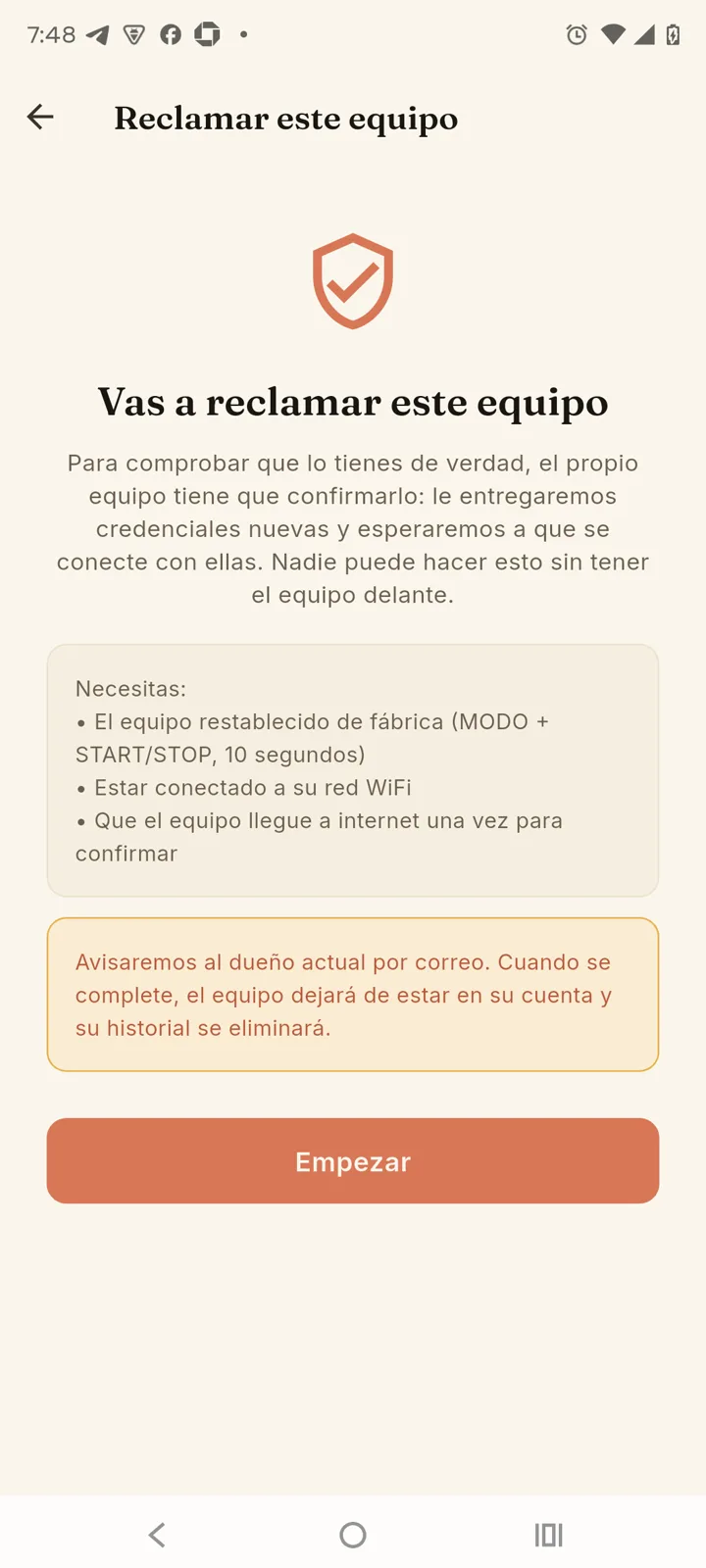
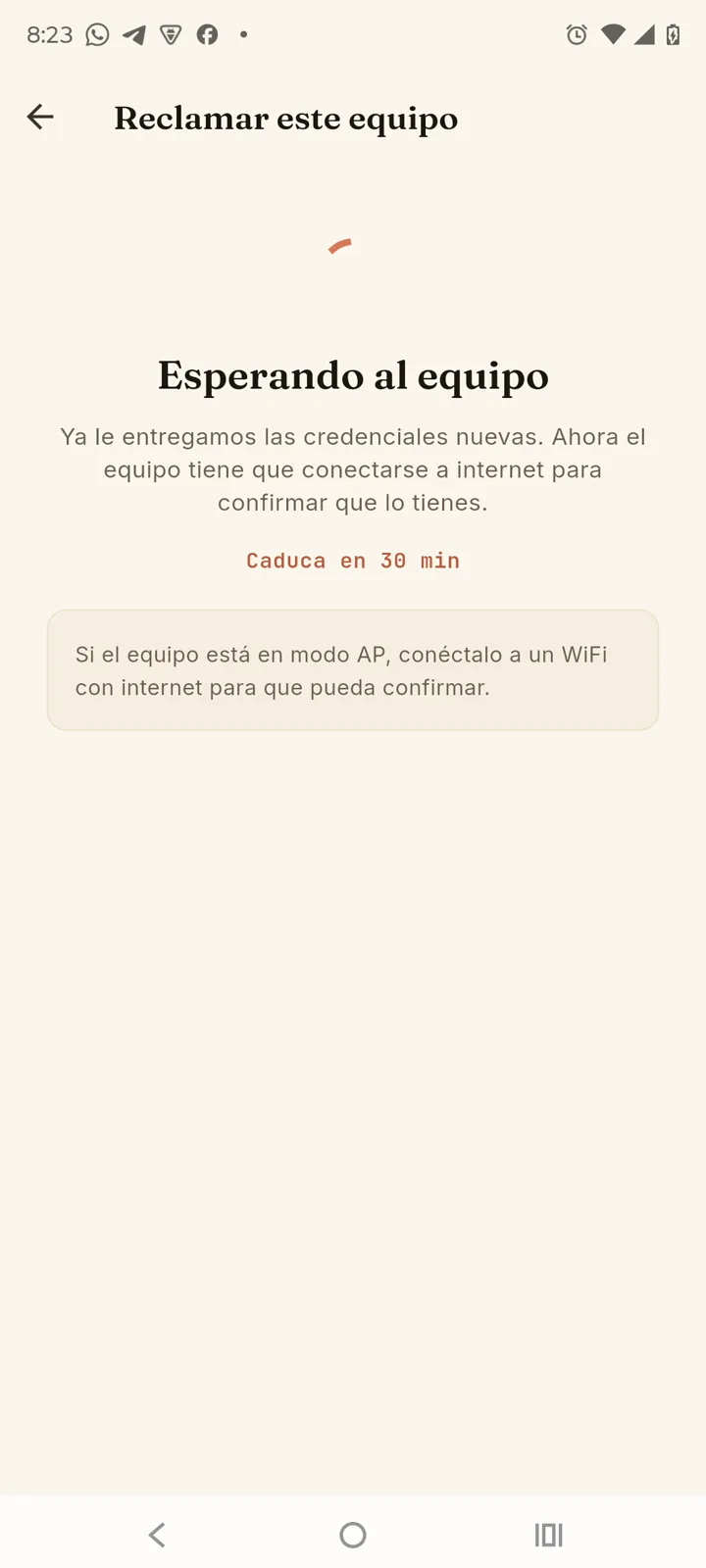
- Factory-reset the device and connect to its WiFi network.
- In the app, tap "Claim it — I have the device" and then "Start".
- Connect the device to a WiFi with internet (the usual setup process) so it can confirm.
- As soon as the device connects, the claim completes on its own — no need to stay on the screen.
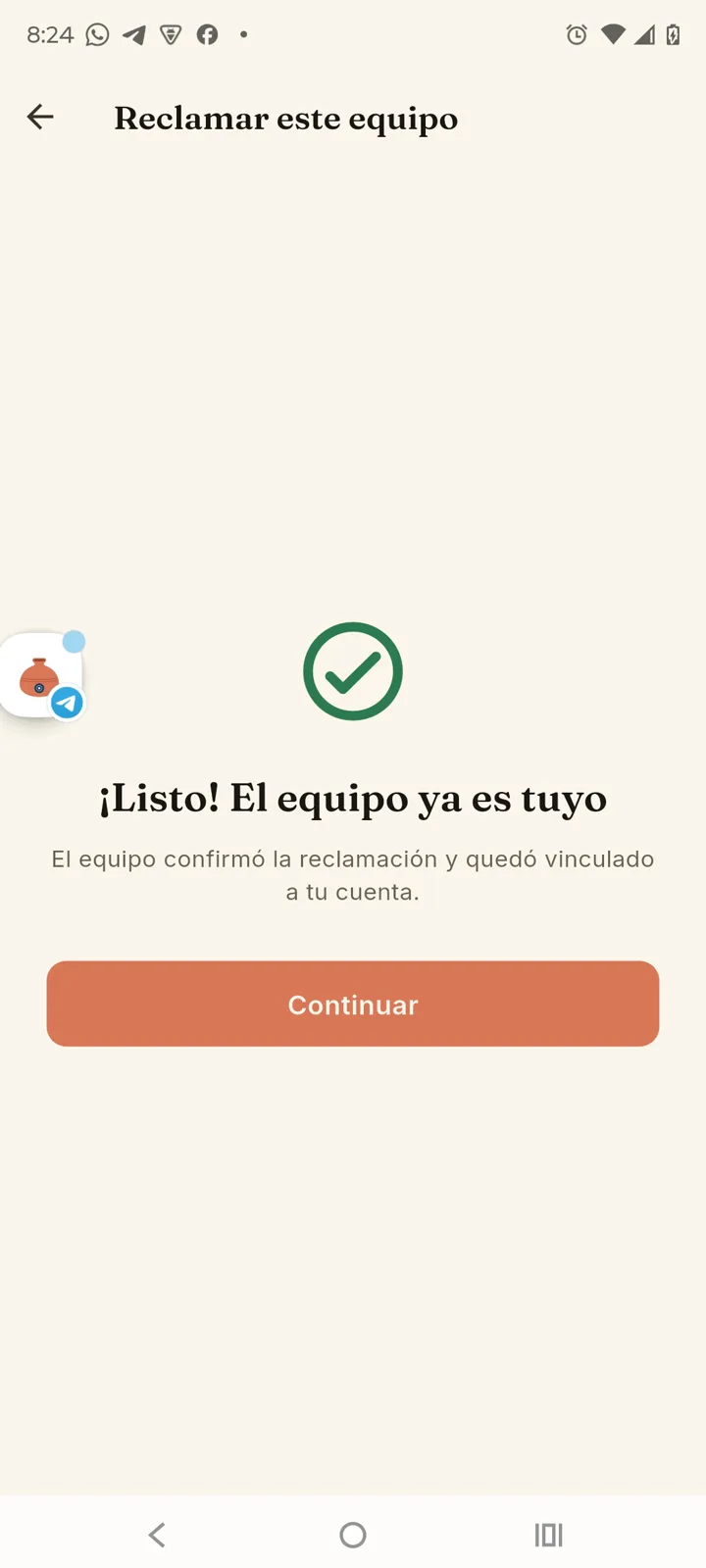
We email the previous account as soon as you start the process. That device's history (events, readings) does not transfer — you start with a blank slate.
Share with your family
Two ways, depending on whether you want to use the internet:
Through the cloud — from anywhere
- Go to Settings → Sharing and cloud → Share device.
- Choose the permission: "Can control" (start, stop, change mode) or "View only" (monitor without touching).
- Tap "Generate invitation link" and then "Share" to send it via WhatsApp, Telegram or however you like. If you type their email, they also get it by email.
- The other person taps the link, the app opens and accepts — the pump appears in their list.
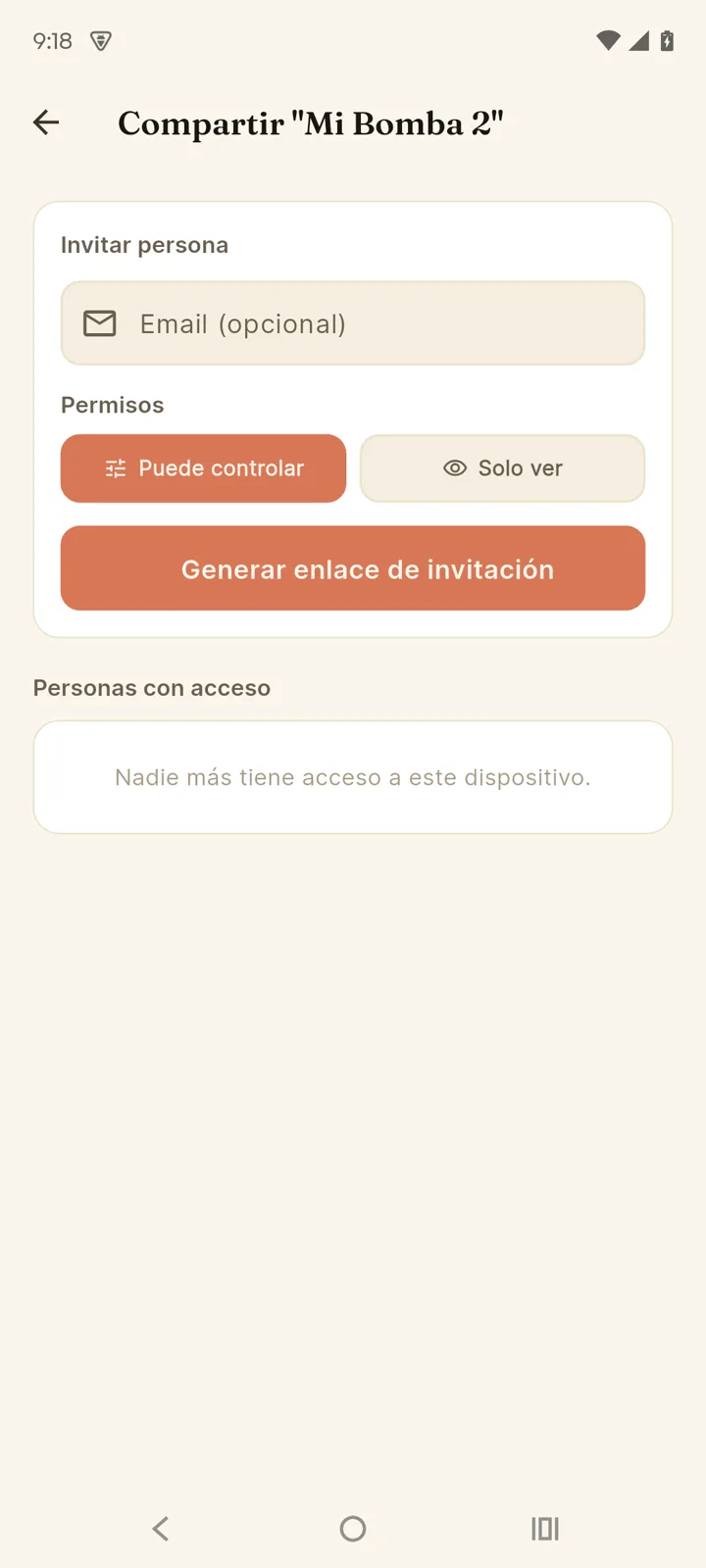
Under "People with access" you see every guest and canrevoke anyone's access in one tap.
Each link works for one person and expires after 7 days. To invite several people, create one link for each: unused ones stay in the list with their expiry date, and you can cancel them with the ✕.
Locally — no internet
To share at home without the cloud: Settings → Sharing and cloud → Share locally (no internet). The app shows a QR code with the connection details.
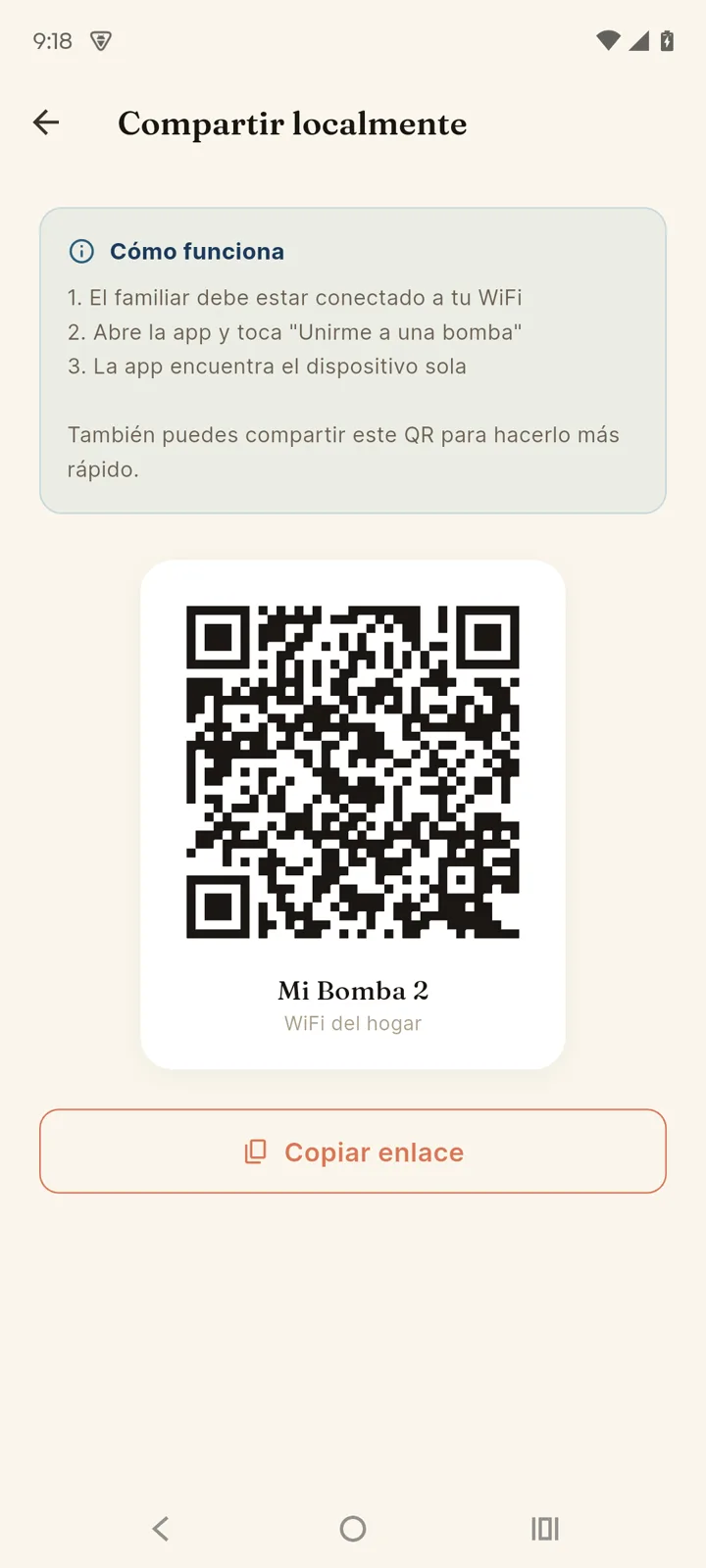
- Your family member points their phone's regular cameraat your screen (no need to open the app first).
- They tap the notice that appears: Tinajon Pro opens and connects on its own.
If they're on your same WiFi they can also join without the code: in their app, "Already configured pump" → "Search on my WiFi network". If the device has a PIN, the app asks for it.
Telegram
Link your account to @TinajonBot to get alerts and control the pump from Telegram, without opening the app.
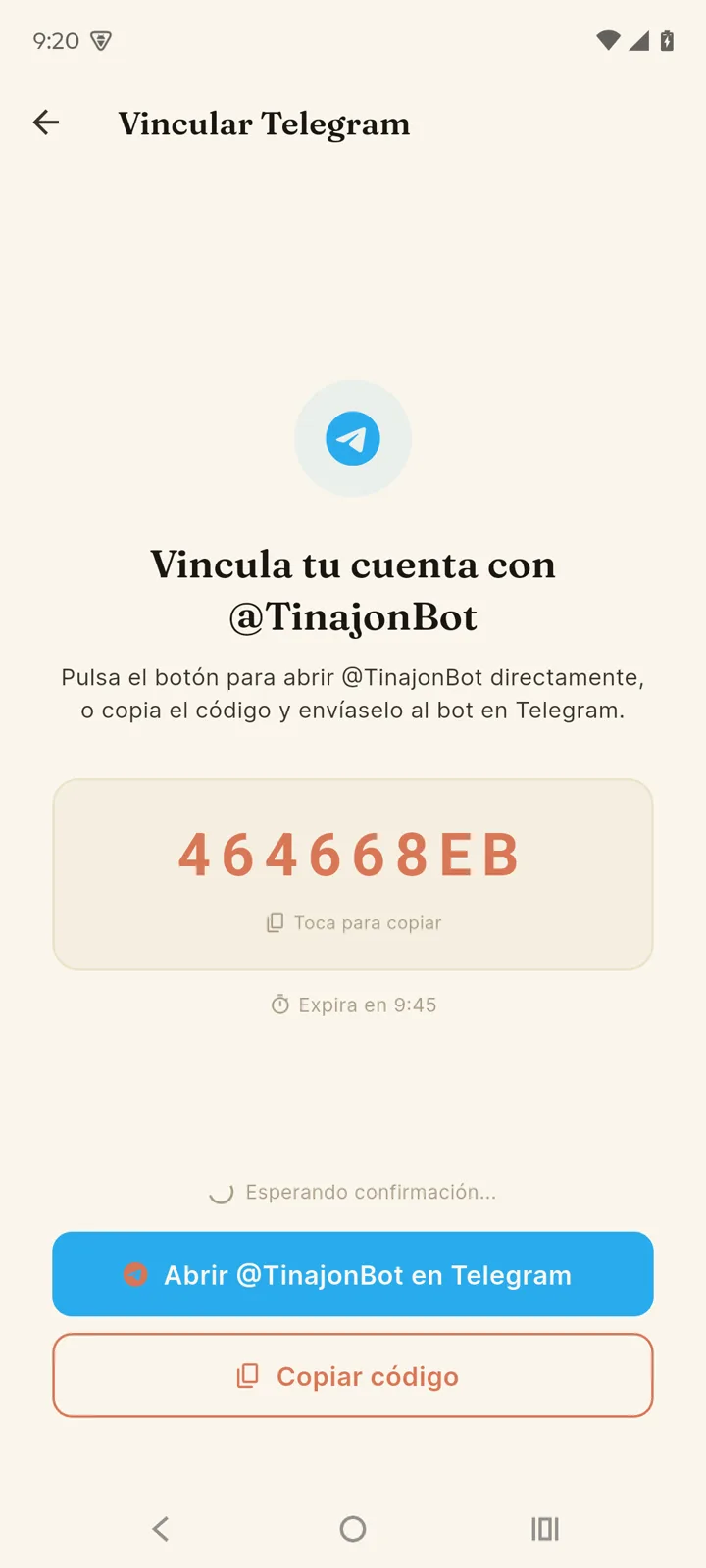
- Go to Account → Link Telegram.
- Tap "Open @TinajonBot on Telegram" — or copy the code and send it to the bot.
- The bot confirms and you're linked.
Commands the bot understands:
| Command | What it does |
|---|---|
/menu | Menu with buttons for everything else. |
/status | Current status of all your pumps. |
/dispositivos | List with inline control buttons. |
/encender name | Turns that pump on. |
/apagar name | Turns it off. |
/modo | Changes the operation mode. |
/historial name | Latest events for that pump. |
/notificaciones | Configure which alerts you get. |
/idioma | Changes the language of the messages. |
/desvincular | Unlinks your Telegram from the account. |
The bot speaks your language. Messages and alerts arrive in your account's language — the one you picked in the app underAccount → Language. To change it from here instead, use/idioma (or /language): it's the same setting, so it also changes the language of the app's notifications.
Alexa
If you have an Echo or the Alexa app on your phone, you can control the pump by voice. The "Tinajon Pro" skill is published in the Alexa skill store — you enable it like any other, no technical steps.
- Open the Alexa app → More → Skills & Games.
- Search for "Tinajon Pro" and tap Enable to use.
- Alexa asks you to sign in with your Tinajon Pro account — the same email and password you use in the app.
- When you're done, Alexa finds your devices on its own. If they don't show up, say "Alexa, discover my devices."
Each pump shows up in Alexa as three things:
| Shows up as | What it's for |
|---|---|
| Your pump's name | Turn it on and off, change its mode, and ask for the tank level. |
| Fallo de "your pump" | A sensor that "opens" when there's a pumping fault. |
| Cisterna de "your pump" | A sensor that "opens" when the cistern runs out of water. |
Things you can say:
- "Alexa, turn on the water pump" — and "turn off the water pump."
- "Alexa, set the water pump to automatic mode" (semi-automatic and manual work too).
- "Alexa, what's the water level of the water pump?"
Use whatever name you gave the device in the app. If it's long or hard to pronounce, rename it from the Alexa app itself — short names work better by voice.
The skill was published in Spanish. That's why the two sensors keep their Spanish names ("Fallo de…","Cisterna de…") and why voice commands work best on an Echo set to Spanish. You can rename anything from the Alexa app.
Have Alexa announce it out loud. Both sensors can trigger a routine. In the Alexa app: More → Routines → When this happens → Smart Home, pick the sensor and the"opens" condition, then set an Echo to announce it. That way you hear about a dry run without looking at your phone.
Two limits worth knowing. Alexa needs internet: if the device is offline, voice control won't work (the app on your local network still does). And it only understands specific commands like the ones above — it doesn't hold a conversation, so open questions like "why did the pump stop last night?" are answered in the app, not by voice.
Notifications
Under Account → Notifications you choose what alerts you and through which channel:
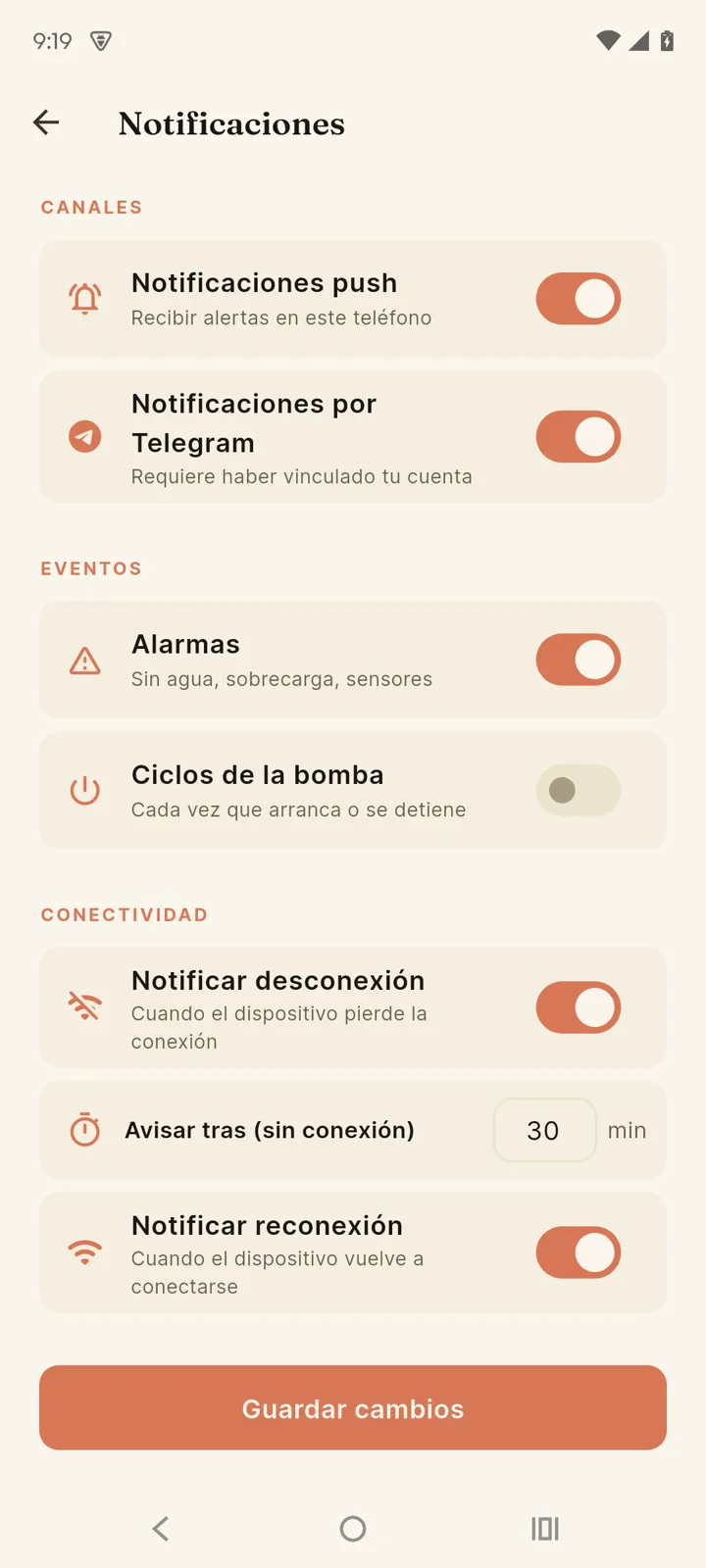
- Channels — push notifications on this phone and/or Telegram messages.
- Alarms — low tank, sensor fault, pump not filling. We recommend keeping these on.
- Power — only on devices with power metering: mains voltage out of range, pump overcurrent and dry running.
- Pump cycles — an alert every time it starts or stops (for those who want to see everything).
- Possible leak — an alert when pumping cycles become abnormally frequent, a typical leak signal. Uses the same detection as Consumption analytics.
- Connectivity — alert when the device loses its connection (you choose after how many minutes) and when it comes back.
Spotty internet? Raise the "Notify after (offline)" time so your area's micro-outages don't flood your phone with alerts.