Power metering
Tinajon Pro comes in two versions. The one with power metering also watches the mains and the motor: it won't let the pump start with the voltage out of range, and it stops it if it draws too much or runs without moving water.
Does your device have it? If you see the"POWER" card on the app's main screen, yes. If it isn't there, yours is the model without metering and nothing in this chapter applies: the rest of the manual is the same for both.
What it measures
| What | What you need |
|---|---|
| Mains voltage | Nothing: the device measures it itself. |
| The pump's current, load and power factor | A current clamp around one of the pump's wires (see below). |
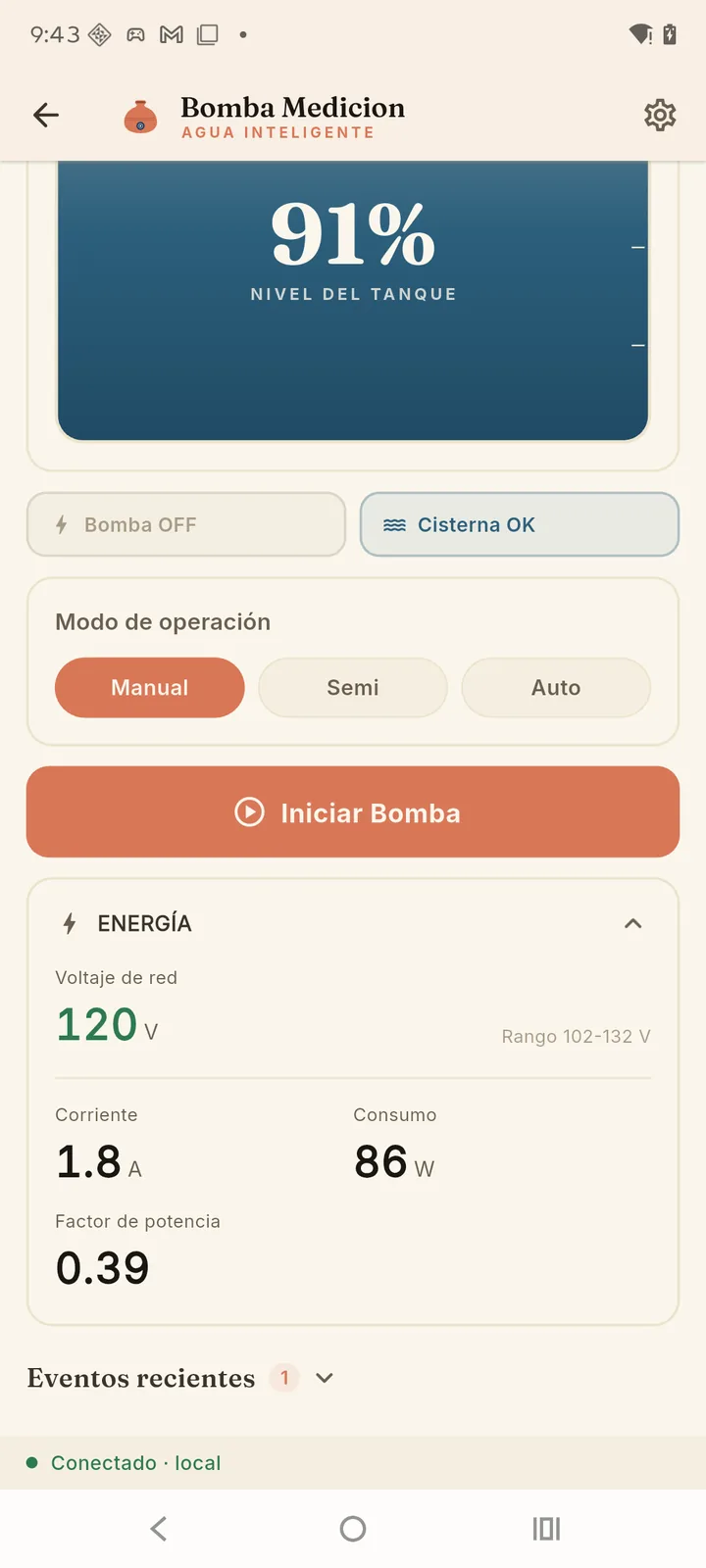
If there's no reading at some point, the card says "No electrical reading right now. Voltage and load protection are paused." That's on purpose: without a reliable measurement the device doesn't make up a protection, and the pump keeps working like the model without metering — with the usual level control, flow check and cistern.
Install the current clamp
You only need it to measure the load and for two of the three protections (overcurrent and dry running). Voltage protection works without it.
- Which clamp: an SCT-013 with voltage output —
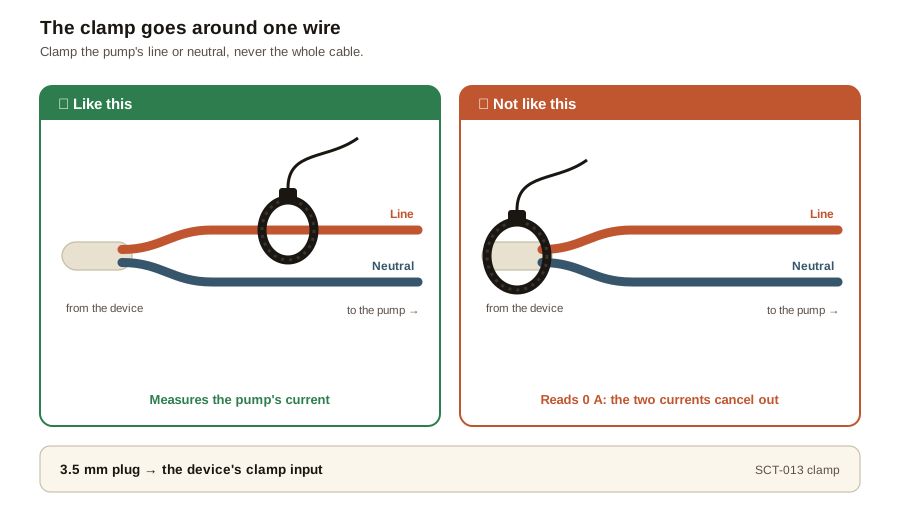
SCT-013-010,015,020,030,050or100. The number is its full-scale amps, printed on the clamp. The SCT-013-000 won't work: it outputs current, not voltage. For any pump wired directly (up to 16 A), the SCT-013-030 covers every case. - Where it goes: around a single wire of the pump — line or neutral, either one —, never the whole cable. With both inside, the currents cancel out and it reads zero.
- Which way: it doesn't matter. The device measures the same with the clamp reversed.
- How it connects: its 3.5 mm plug goes into the device's clamp input.
On a three-phase supply, device and pump on the same phase.The device works out the load by comparing the pump's current with the voltage it sees itself. If the pump hangs off another phase of a three-phase supply, the load comes out wrong — sometimes believably wrong. In homes with two hots and a neutral (110 V to neutral, 220 V between hots), on the other hand, it doesn't matter which hot each one hangs off: the measurement comes out right.
Set it up
In Settings → Electrical measurement:
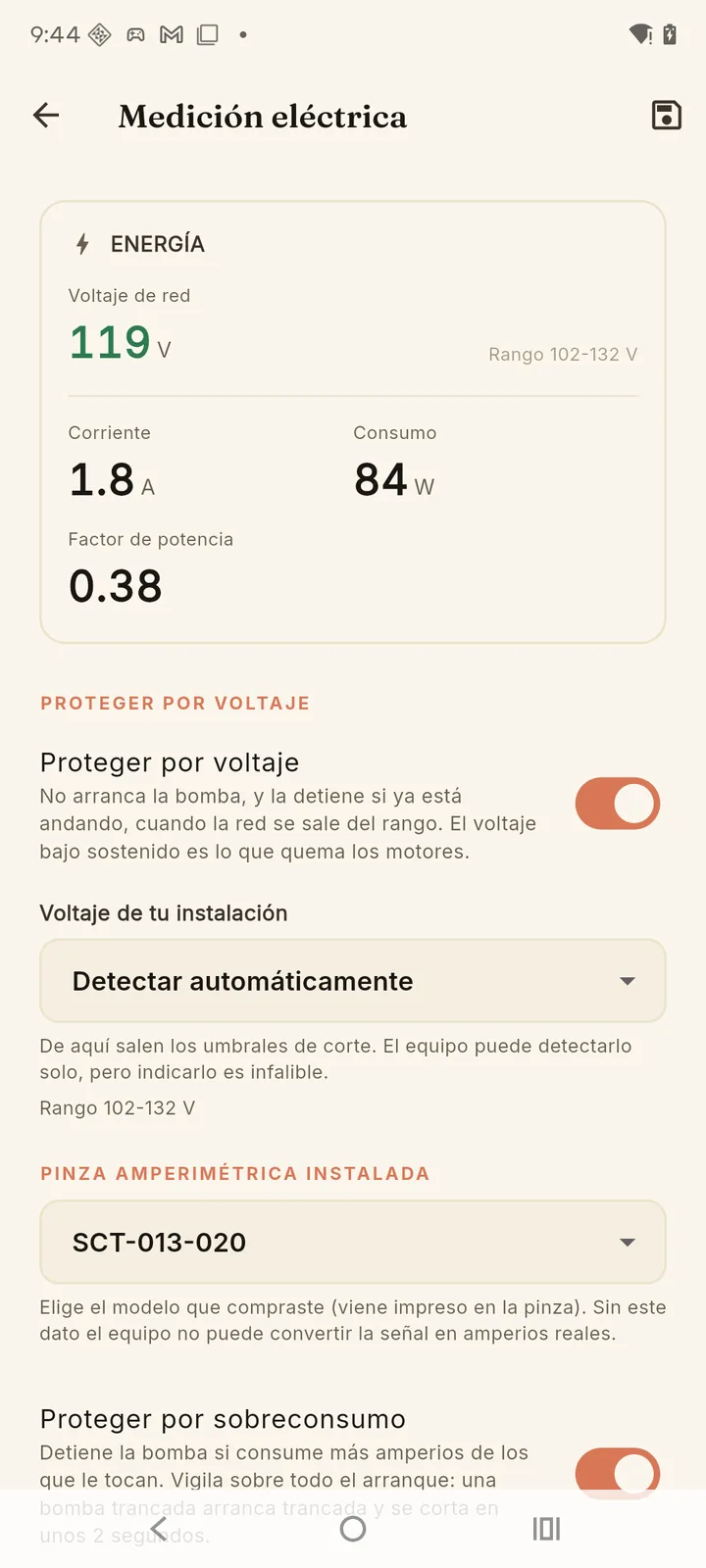
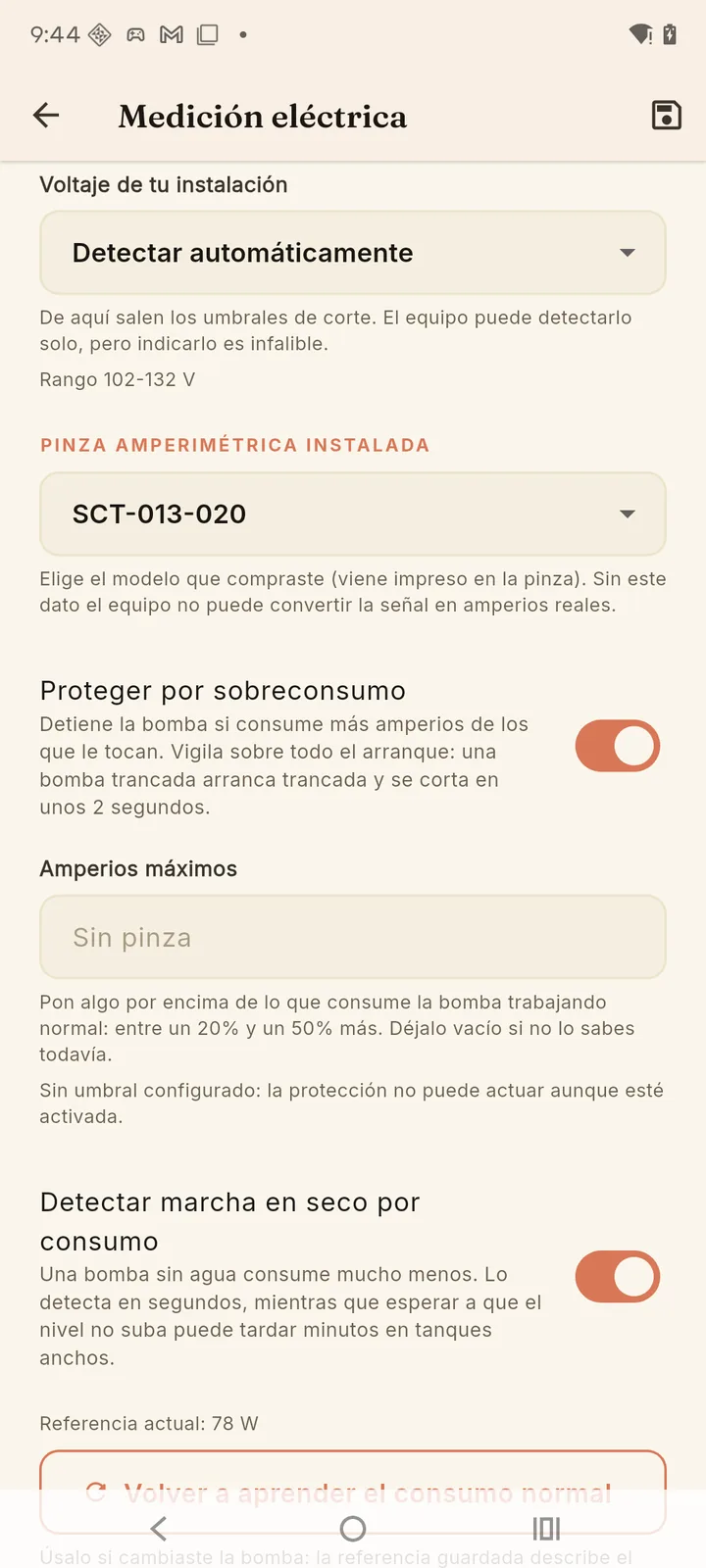
- "Your mains voltage" — leave it on "Detect automatically" or pick yours (110, 120, 127, 220, 230 or 240 V); setting it is foolproof. The cut-off limits come from it: 15% below and 10% above nominal. The app shows the resulting range, for example "Range 102-132 V".
- "Installed current clamp" — pick the model you bought, the number printed on the clamp. Without it the device can't turn the signal into amps, so don't enter your pump's current here: it would give believable, false readings.
- Turn on the protections you want (below) and save with the icon at the top right.
The three protections
| Protection | What it does | To start again |
|---|---|---|
| Protect on voltage | Refuses to start the pump, and stops it if already running, when the mains spends 3 seconds out of range. Sustained low voltage is what burns motors. | Nothing to acknowledge: it's a mains problem, not a pump problem. Once the mains has been back in range for a few seconds, in Auto the pump starts on its own if needed; in Semi or Manual you turn it back on yourself. |
| Overcurrent protection | Stops the pump if it draws more amps than it should. It watches the start especially closely: if the motor is jammed, it is cut off in about 2 seconds. It needs "Maximum amps": set 20% to 50% above what it draws running normally. | Check the pump and acknowledge the fault. Drawing too much is mechanical (jammed impeller, seized bearing); retrying on its own against a jammed shaft burns the motor. |
| Detect dry running by load | A pump with no water draws far less. It catches it in about 12 seconds, while waiting for the level not to rise can take minutes in wide tanks. | Check there's water and acknowledge the fault. Insisting while dry destroys the seal. |
When one trips, the app says which — "Low voltage: pump stopped","Excessive current: pump stopped", "The pump is running without moving water" — and the device's screen shows ELECTRICO. It's acknowledged like any pump fault: with "Acknowledge fault" (see Daily use).
The normal load is learned on its own
To know what "drawing too little" means, the device needs to know how muchyour pump draws with your piping. It learns it on its own over the first runs, and only while the tank level is really rising — so it never learns a dry-running pump as normal. While learning, the app says so ("Learning your pump's normal load…") and dry-run detection isn't active yet. When it's done you'll see"Current reference: … W".
If you replace the pump, tap "Re-learn the normal load": the saved reference describes the old motor.
Fine-tune against a reference
The device leaves the factory calibrated from its own board values, so this isn't usually needed. If you have a meter or clamp you trust, you can compare: enter what your instrument reads next to what the device measures and tap "Apply". It can only be done while connected to the device on your local network, not over the internet, and the adjustment allows ±50% at most: a bigger difference isn't calibration, it's the clamp, the model you picked or the wiring.
Before adjusting the current, open the clamp around no wire at all: the load should read practically zero. If it reads amps like that, it's a board fault, and the adjustment would only hide it.
Alerts
With the pump linked to the cloud, in Account → Notifications → Power you choose what alerts you: mains voltage(the most frequent one if your supply is unstable),overcurrent and dry running. SeeNotifications.
And to see at a glance whether everything is fine, Settings → Check my installation includes power metering along with the sensor, calibration and connection.